|
|
作者声明:该内容包含AI创作,请谨慎辨别。
一个把一张图分割成9张图的软件
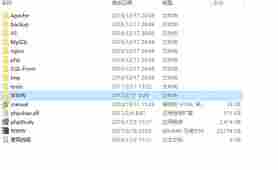
1.使用方法很简单,直接把图片放到这个软件文件夹里面,双击运行软件
文件夹会多出个九宫格文件夹,直接把1-9发朋友圈
代码如下:
- import tkinter as tk
- from tkinter import filedialog, messagebox
- from PIL import Image
- import os
- import sys
- def resource_path(relative_path):
- try:
- base_path = sys._MEIPASS
- except Exception:
- base_path = os.path.abspath(".")
- return os.path.join(base_path, relative_path)
- def cut_image():
- path = filedialog.askopenfilename(
- filetypes=[("图片", "*.jpg;*.jpeg;*.png;*.bmp")]
- )
- if not path:
- return
- try:
- img = Image.open(path).convert("RGB")
- w, h = img.size
- margin_w = int(w * 0.12)
- margin_h = int(h * 0.12)
- new_w = w + 2 * margin_w
- new_h = h + 2 * margin_h
- bg = Image.new("RGB", (new_w, new_h), "white")
- bg.paste(img, (margin_w, margin_h))
- pw = new_w // 3
- ph = new_h // 3
- out_dir = os.path.join(os.path.dirname(path), "九宫格_成品")
- os.makedirs(out_dir, exist_ok=True)
- num = 1
- for row in range(3):
- for col in range(3):
- x1 = col * pw
- y1 = row * ph
- x2 = x1 + pw
- y2 = y1 + ph
- part = bg.crop((x1, y1, x2, y2))
- part.save(os.path.join(out_dir, f"{num}.jpg"), quality=95)
- num += 1
- messagebox.showinfo("完成", f"已生成九宫格!\n保存在:\n{out_dir}")
- except Exception as e:
- messagebox.showerror("错误", str(e))
- # GUI 主程序 + 窗口图标
- root = tk.Tk()
- root.title("朋友圈九宫格切图")
- root.geometry("400x220")
- root.resizable(False, False)
- # 加载 favicon.ico
- try:
- icon_path = resource_path("favicon.ico")
- root.iconbitmap(icon_path)
- except:
- pass
- tk.Label(root, text="九宫格切图工具", font=("微软雅黑", 16)).pack(pady=20)
- tk.Label(root, text="自动留白 + 不裁切 + 1~9顺序", fg="gray").pack()
- tk.Button(root, text="选择图片并生成", font=("微软雅黑", 12), bg="#409eff", fg="white", width=20, height=2, command=cut_image).pack(pady=30)
- root.mainloop()
源代码:
附件下载地址:
- 以下附件需要回复 (后刷新页面才能下载) 1 次可见,已回复 0 次
- 1、grid.py 2KB 已下载 175 次
|
|
温馨提示:本站无需登入,即可回复帖子,发帖和回复请勿涉及违法等行为!网罗天下电脑(wltxdn.cn)
|





 发表于 2026-4-6 17:46:58